

Welcome to PrintAgent!
Streamline your printing, labeling, and weighing with our all-in-one platform.
How it works
Manage everything in one place
Add products, create labels, and keep track of your print history.
Create labels that fit your workflow
Build templates that match your business without complex setup.
Lightning-fast printing
Print jobs are processed instantly and sent directly to your printers.
Why Choose PrintAgent?
Printer Management
Effortlessly register and manage printers for seamless online printing.
Label Creation
Design and print custom labels with our intuitive dashboard.
Product Weighing
Integrate scales for precise product measurements in-app.
More Features
Reliability
- Reliable printing with automatic retries
- Stable performance across printers
- Consistent results every time
Management
- Central printer management
- Full print history — every print is recorded, so you can always look back at what was printed
- Label template versioning — every label is traceable to the version used
- Reduce the number of label templates with our built-in product database. Easily link multiple products to a single template and keep a firm grip on your template maintenance.
- Built-in image library. Replace an image that is used on multiple templates in one go.
- Multi-printer support
Flexibility
- Custom label templates
- Flexible layout configurations
- Works with different label formats
Automation
- Batch printing support
- Streamlined workflows
- Fits into your existing processes
- All documents are converted to ZPL in realtime and sent straight to the printers via the node.
Use Cases
Warehousing & Logistics
Print labels quickly for incoming and outgoing goods, reducing manual errors and delays.
Manufacturing
Generate product and batch labels directly from your workflow to keep production moving.
Retail & Packaging
Create and print labels for products and packaging with consistent formatting.
Product
Click an image for a larger view.
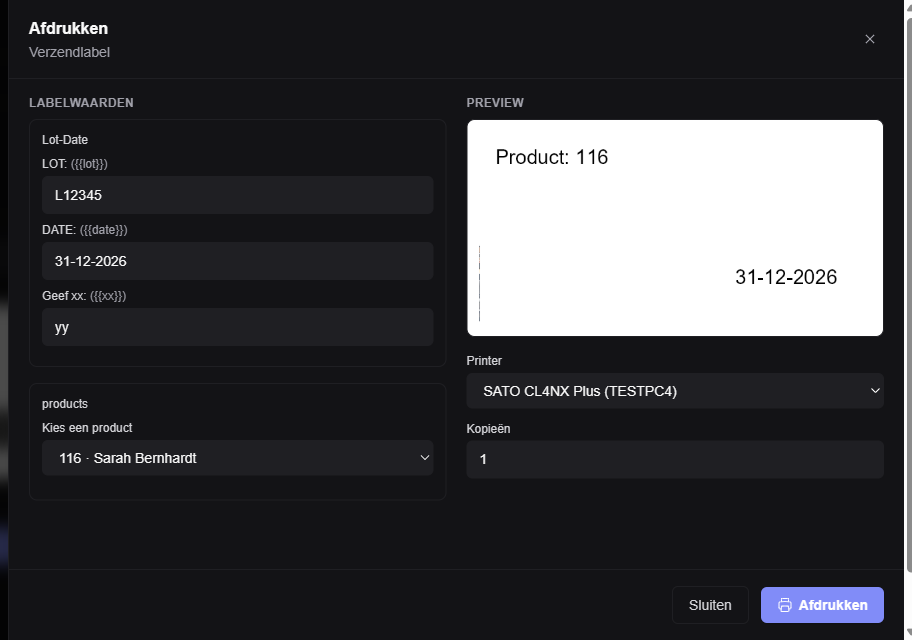
Select, configure and print in seconds
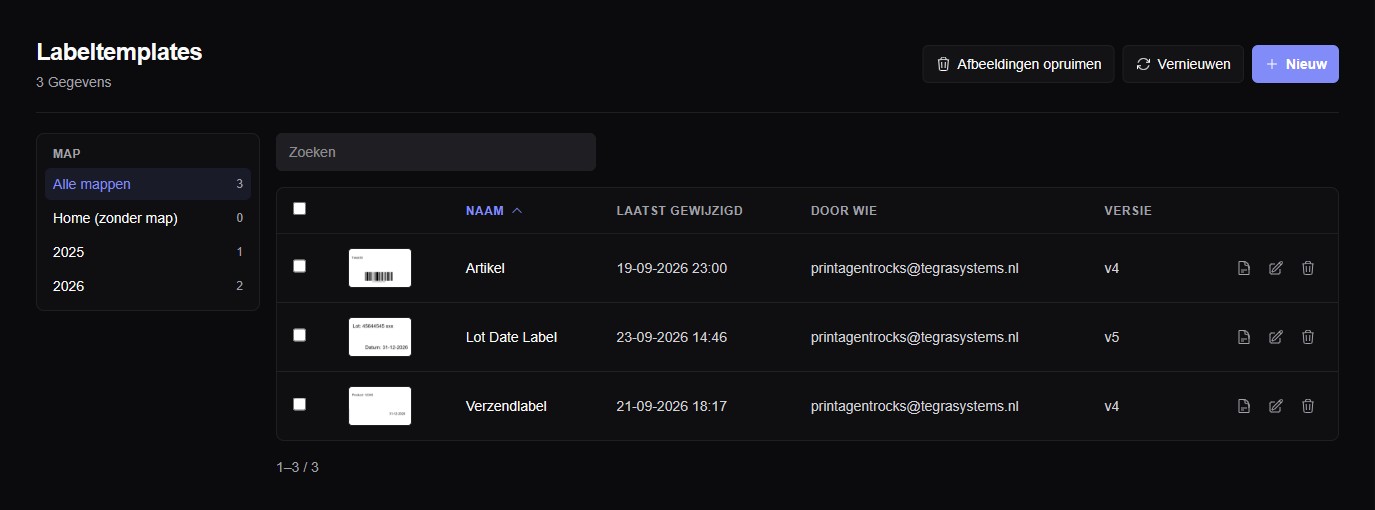
Create and manage custom label templates
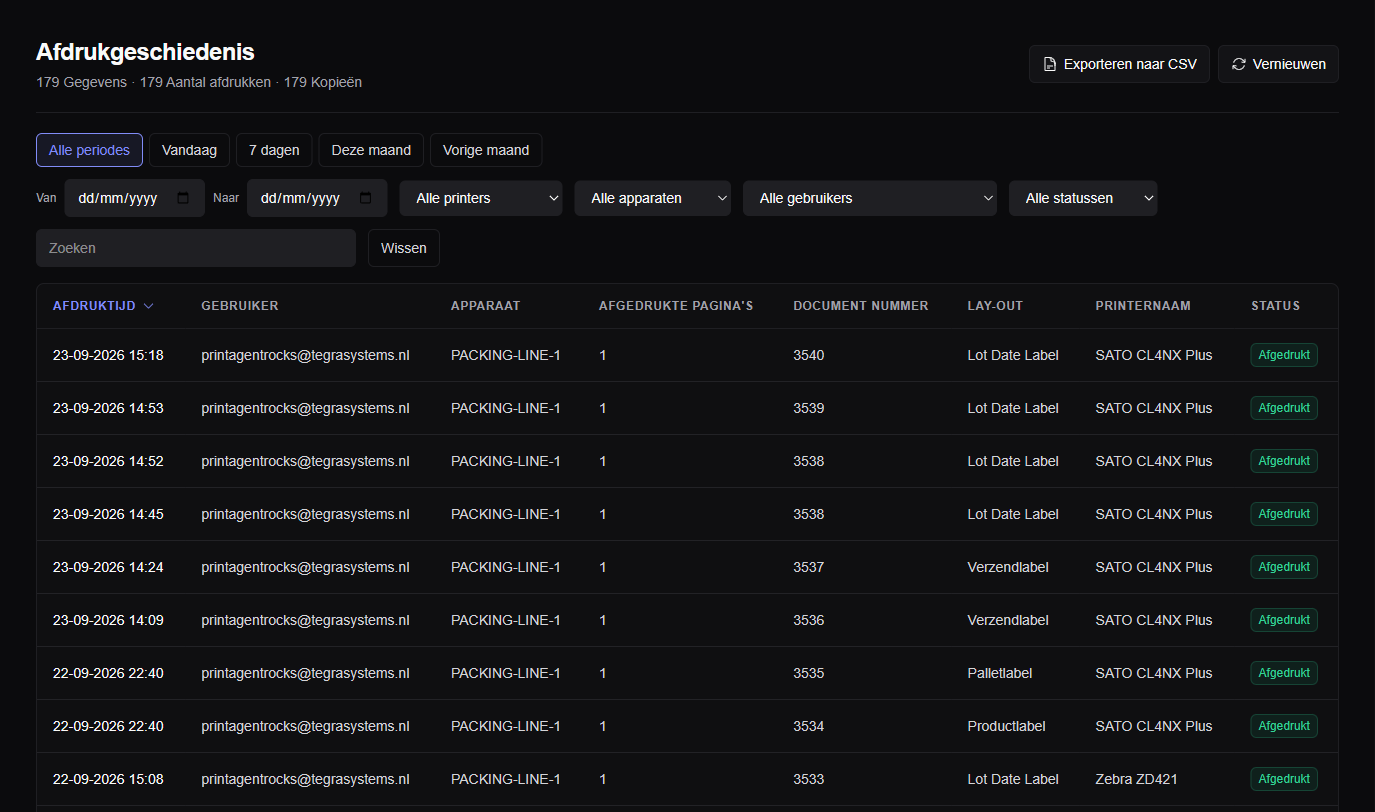
Track and review all your print activity
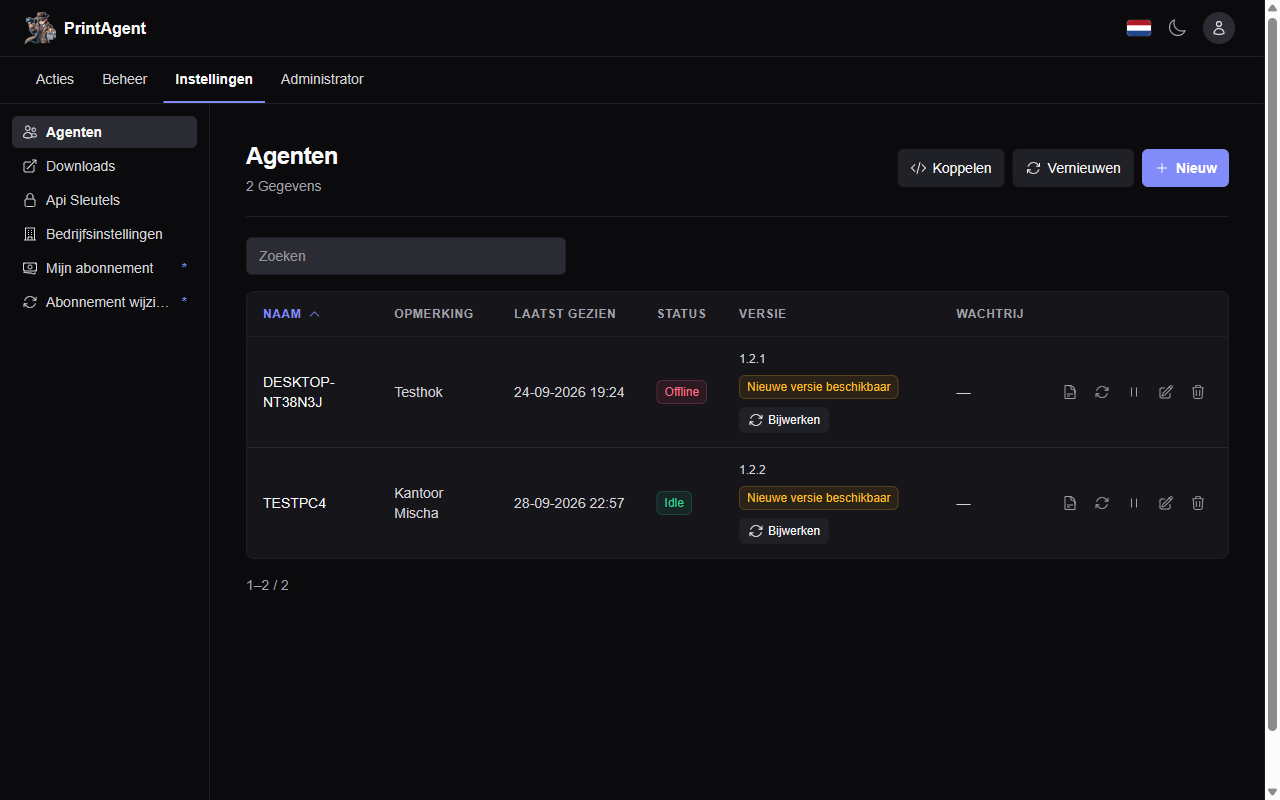
Nodes and agents
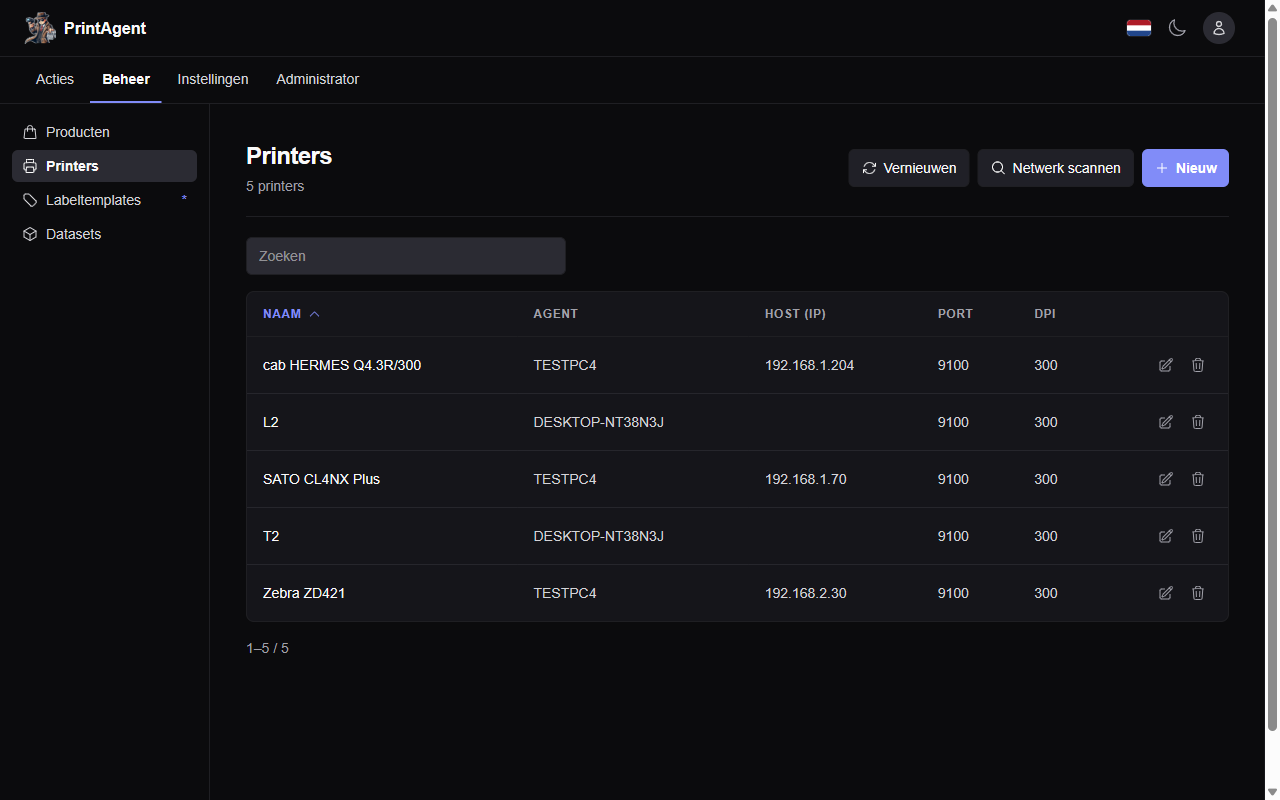
Printers
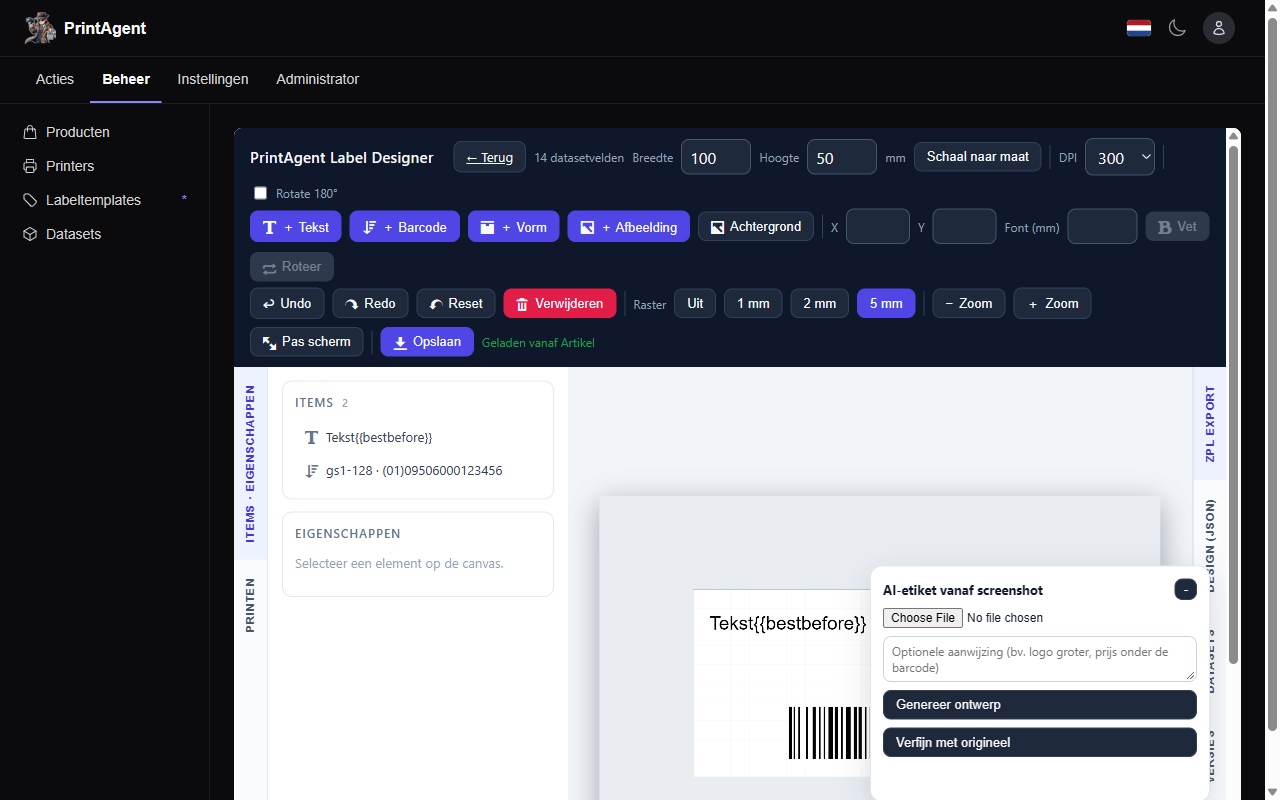
Label designer
Integrations
Works with your hardware and setup
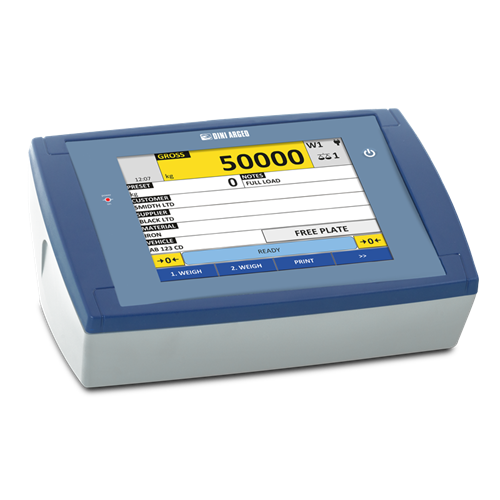
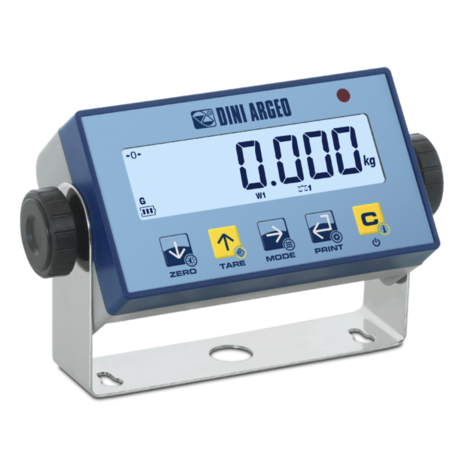 Dini Argeo 3590






From image to template with AI
Upload a photo or PDF of an existing label; the AI turns it into an editable template you can print right away.
- Automatically recognises text, barcodes and images
- The result is a fully editable template with elements
- "Refine with original" improves the design based on the source file
Your image
Editable template
Actions: automation without code
Labels print themselves the moment something happens — a file appears in a folder, a barcode is scanned or your ERP sends an HTTP request.
File drop
Drop a CSV or JSON file in a folder and PrintAgent prints a label for every row. After processing the file is moved or deleted, so nothing is printed twice.
Scan action
Scan a barcode on a scanner connected to the PrintAgent node and the right label prints instantly — optionally enriched with product data from your catalogue.
HTTP request
Your ERP, webshop or any script calls the PrintAgent node with a simple POST and the label prints on the spot — with optional overrides for template, printer and copies.
In practice
Your ERP drops shipments.csv into C:\ERP\drop → every shipment gets its shipping label. Scan the EAN at goods receipt → the right price label rolls out.
REST API and developer portal
Drive PrintAgent from your own ERP, webshop or custom app with a REST API and API keys per customer.
API keys
Keys per customer and environment; usage is metered per endpoint.
API documentation
Interactive documentation (OpenAPI/Scalar) with all endpoints and examples.
Developer portal
Manage your API keys and test integrations before going live.
Built for AI agents
PrintAgent works with WebMCP, an upcoming web standard that lets AI agents in the browser use your own PrintAgent environment.
Search documents
An agent can search your label documents by number or printer and read their print status.
List printers
Agents can retrieve the printers linked to your account, including host and dpi.
Check node status
Agents can see which PrintAgent nodes are online, their version and whether they are paused.
WebMCP is still experimental and not yet enabled by default in browsers. The first tools are read-only; printing with confirmation will follow.
Honest pricing, no surprises
One simple plan: a €10 base fee plus a falling rate per printer. No tiers, no hidden fees.
One printer from €20 per month
More printers? The rate drops per band
Unlimited PCs and users included
Get off to a flying start with our personal onboarding. We help you step by step to set up PrintAgent optimally for your organization, including managing your products and seamlessly linking your label templates.
Ready to Transform Your Printing?
Join thousands of businesses simplifying their printing and labeling with PrintAgent.
Sign Up or LoginFrequently Asked Questions
What printers are supported by PrintAgent?
PrintAgent supports labels and label printers that work with the ZPL protocol. Check our support page for details.
Can I create custom label templates?
Yes, our drag-and-drop designer lets you create tailored label templates easily.
How does the weighing integration work?
Connect compatible digital scales, and PrintAgent records weights seamlessly.